
Your first Live RTP session
Follow your return and profit or loss in a small window beside your game.
Pin the tracker in Chrome
Click the puzzle-piece icon next to the address bar. Find StakeExplorer Live RTP and click the pin beside its name.
Open your game on Stake.com
Sign in to Stake and open a casino game. If the game was already open during installation, refresh that tab once. The tracker opens automatically. Click its toolbar icon to bring it back into view.
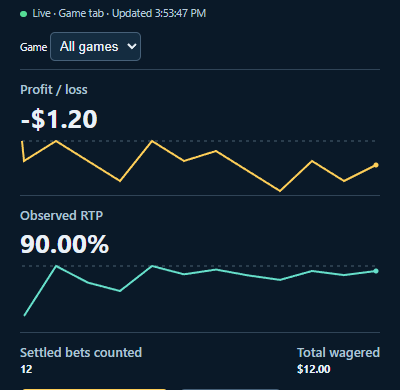
Look for the green Live dot
Keep the tracker window open. Once live, it counts new settled bets worth at least US$0.01. Leave All games selected for combined totals, or choose a game to see its results. If the dot turns red, the message beside it explains why.
Want to keep this session?
In the tracker, choose Connect to StakeExplorer and confirm Share with your account. When you see Saved to, you can find the totals and graphs in your saved sessions.